From fragmented files to structured libraries.
Reorganizing folders manually is a losing battle. GenSort operates directly on your local system or digital collections, organizing assets without moving the actual files.
Import
Understand
Organize
Review
Export
Structured features built for digital collections.
Local Directory Ingestion
Load directories or asset trees directly into the visual interface in seconds without server uploads.
Visual Asset Organization
Render, inspect, and evaluate visual grids, media files, and diagnostic logs side-by-side.
Metadata & Custom Tags
Apply tags, descriptors, and operational attributes to collections dynamically to build custom hierarchies.
Search & Advanced Filters
Filter by name, metadata flags, creation times, readiness status, or file dimensions instantly.
Media Classification & Smart Folders
Group assets automatically using matching rules, file types, colors, or rating limits into virtual directories.
Sorting & Readiness Scores
Assign check marks, sorting scores, or readiness indicators to track which elements are ready for export.
Color Filtering & Compare Tools
Filter imagery by dominant tones or inspect multiple assets in compare view to isolate patterns and outliers.
Structured Local Export
Export final structured metadata or sorted manifest structures directly back to your local machine.
Inside the Interface
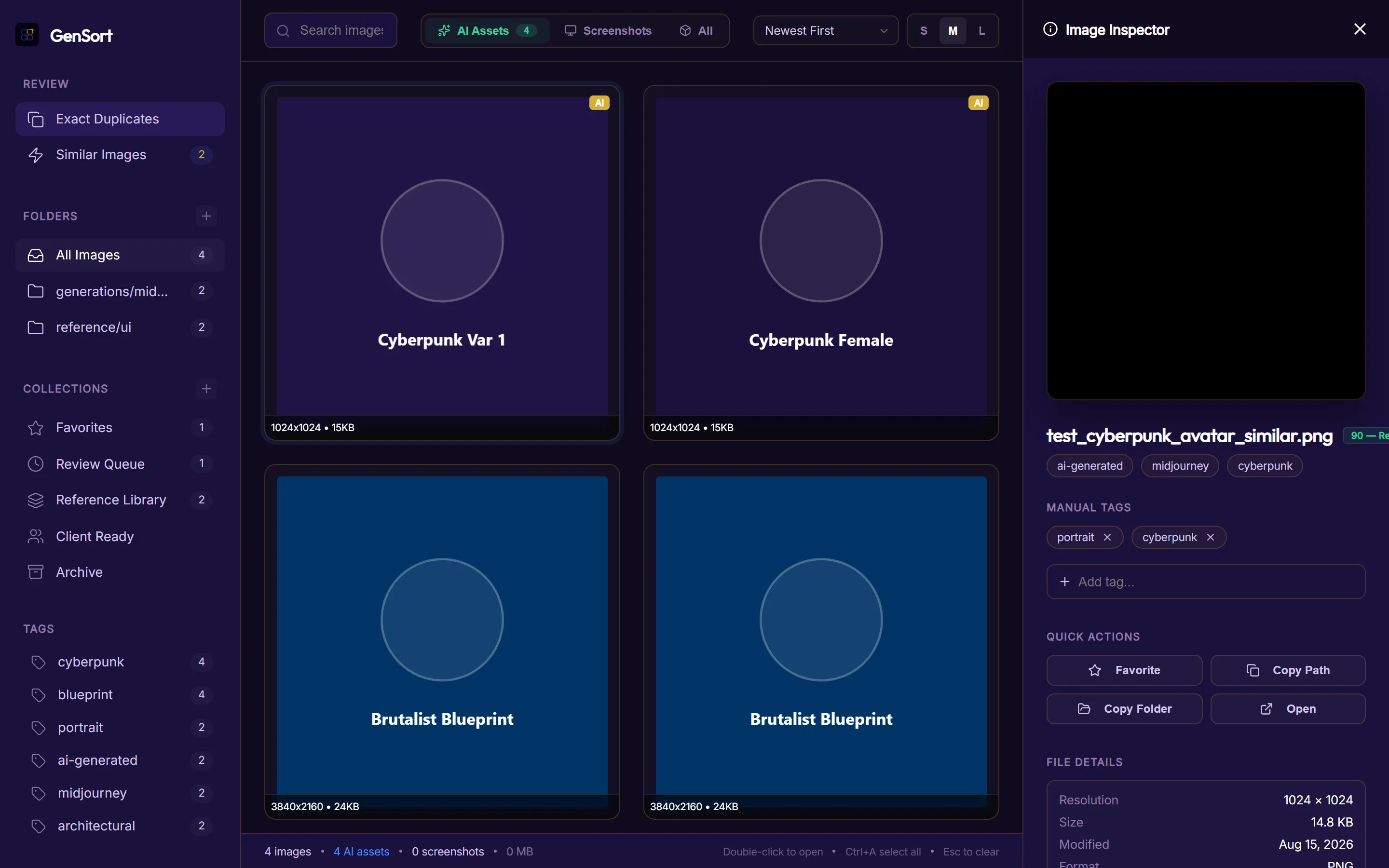
Ingest local asset trees in seconds with zero file duplication. Automatically indexes directory structures, counts system collections (Client Ready, Favorites, Review Queue), and maps multi-tag taxonomies directly in your browser.
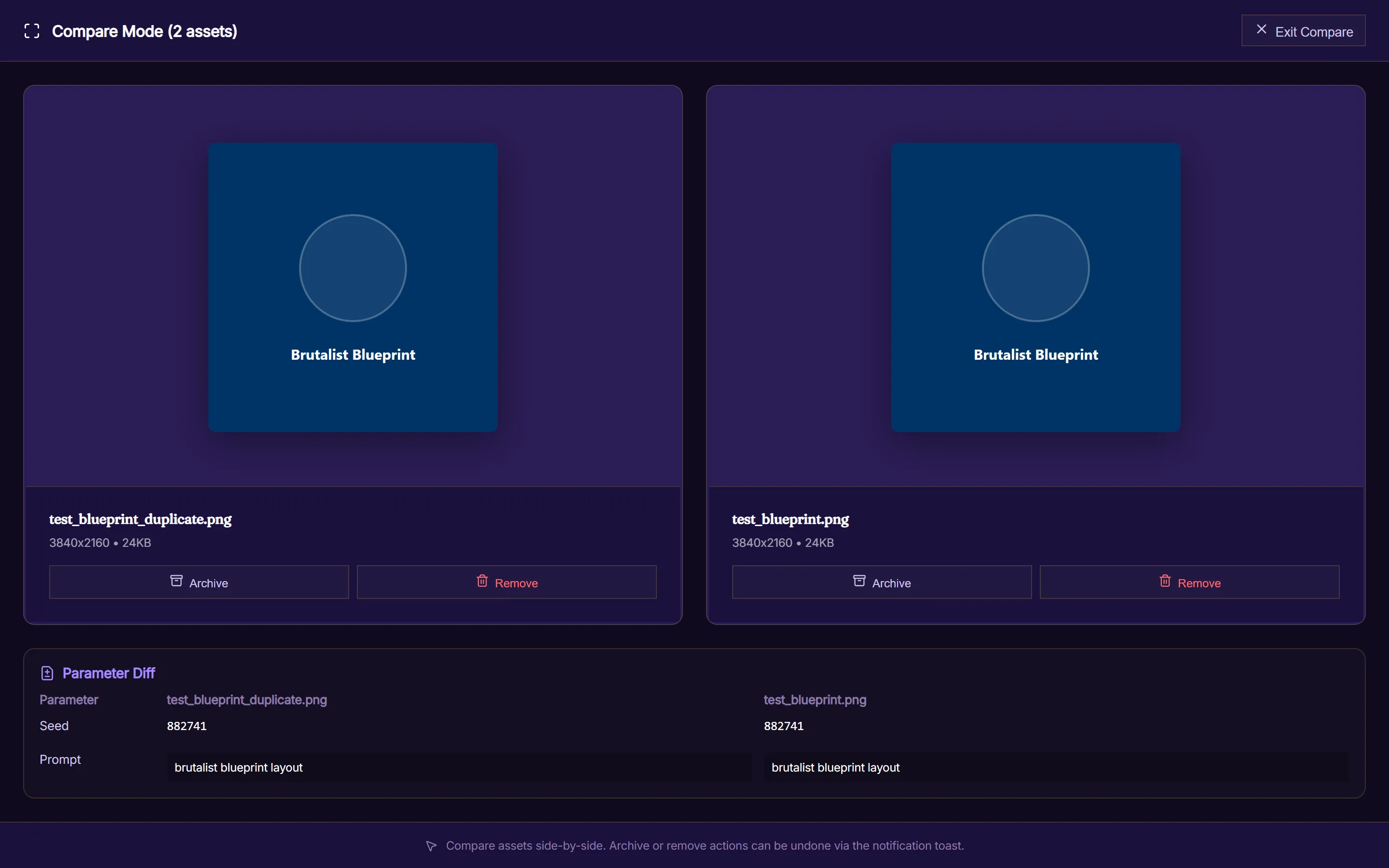
Pinpoint subtle variations across generation outputs. GenSort inspects embedded generation parameters side-by-side—highlighting exact differences in prompt syntax, seed, CFG scale, and sampling steps to accelerate selection.
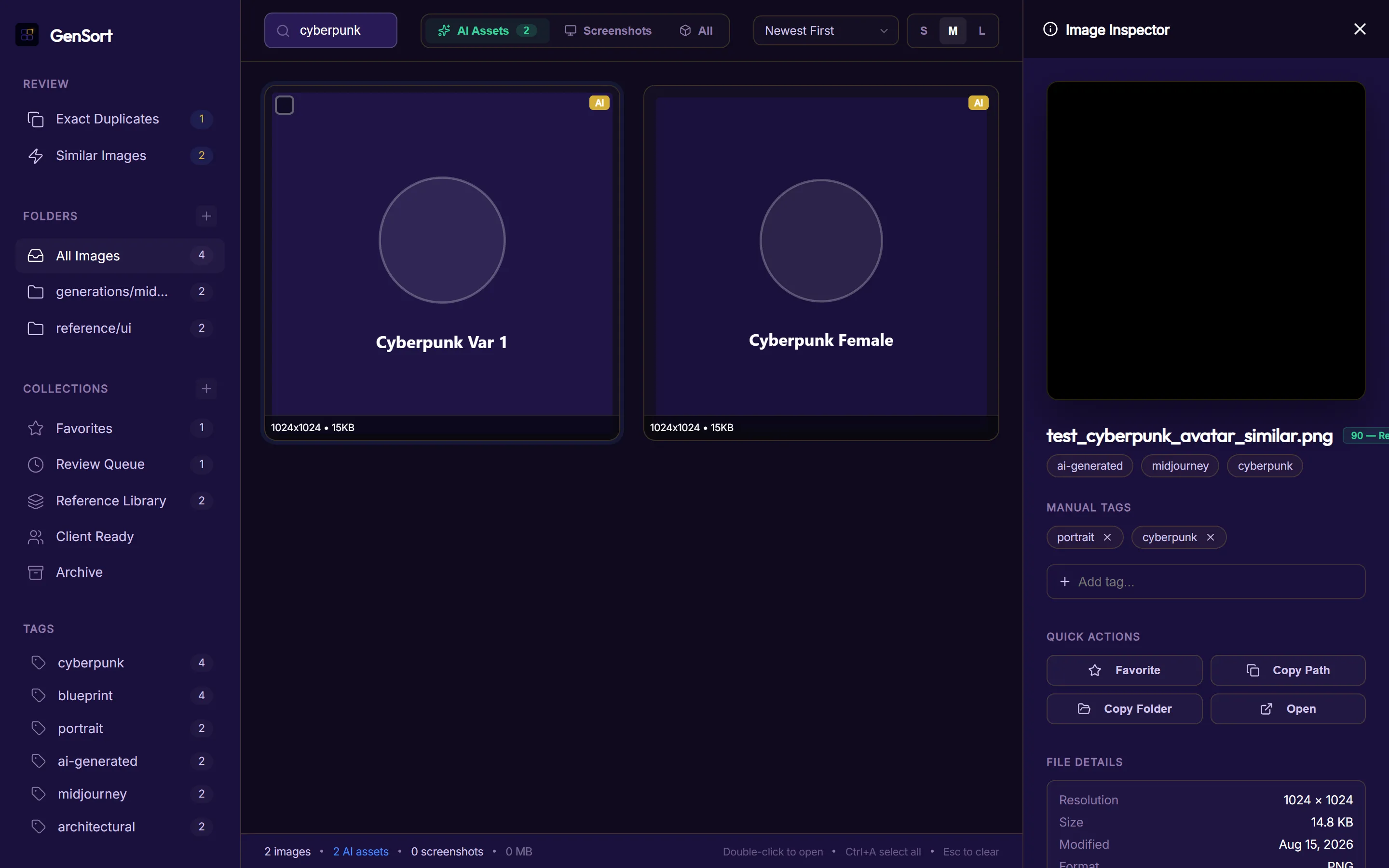
Select any asset to evaluate automated readiness scores (0–100 heuristic based on resolution, tags, and parameters), manage custom tags, copy filesystem paths with one click, and inspect dominant color palettes.
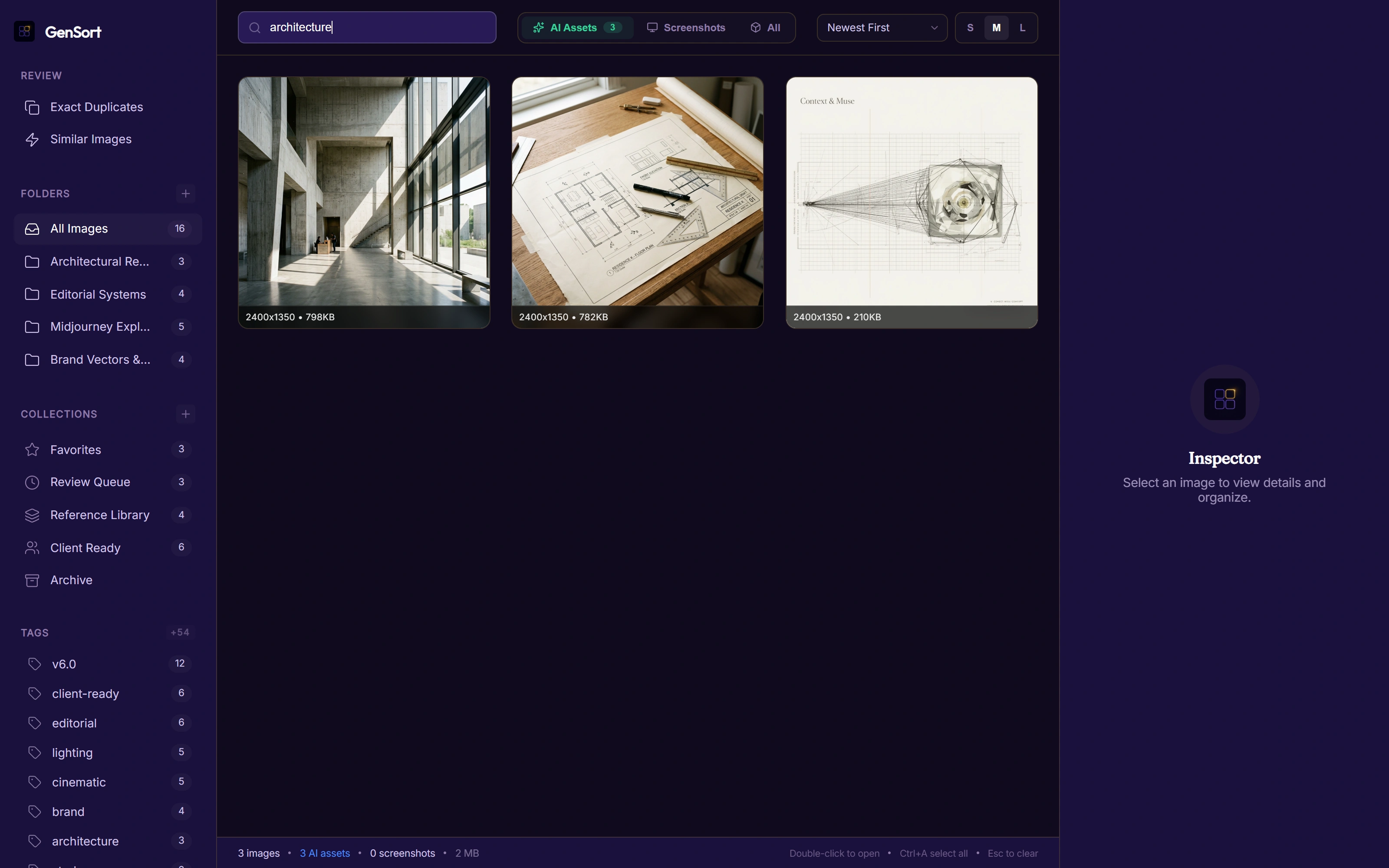
Instant query and filter evaluation across file names, prompt texts, dimensions, and custom tags. Dynamic status tallies and collection counts update instantly with 100% local privacy.
Free to sort. Pay only when you export.
Scan, tag, filter, compare, and organize your generation libraries entirely free in your browser. Pay a single flat fee per export batch.
Up to 250 images
Up to 1,000 images
Up to 5,000 images
Unlimited library export
No subscription required. No account required to sort. 100% client-side privacy.
Frequently Answered Queries
Does GenSort upload my files?
No. GenSort runs entirely in your browser using local file handles. Your images, documents, and data files are never sent to a server. Processing and classification take place completely on your machine.
What export formats are supported?
You can export sorted indices, structure logs, custom tags, or organized references as CSV metadata manifests, which can be re-imported or referenced by other workflow scripts.
How does the pay-on-export work?
You can run sorting sessions, apply tags, filter directories, and view libraries as much as you like without restriction. When you are ready to export the final structured manifest, the app will prompt you for an export license code.